
Work Text:
DON'T PANIC !
CONTENTS:
Pretty screenshots to whet your appetite
👉 Installing the Olive Pine Moon theme
Of --variables and properties
Cool extras that you might like
Credit where it's due
Preview screenshots Contents ↑
Click here for preview images
(details collapsed for easier scrolling)
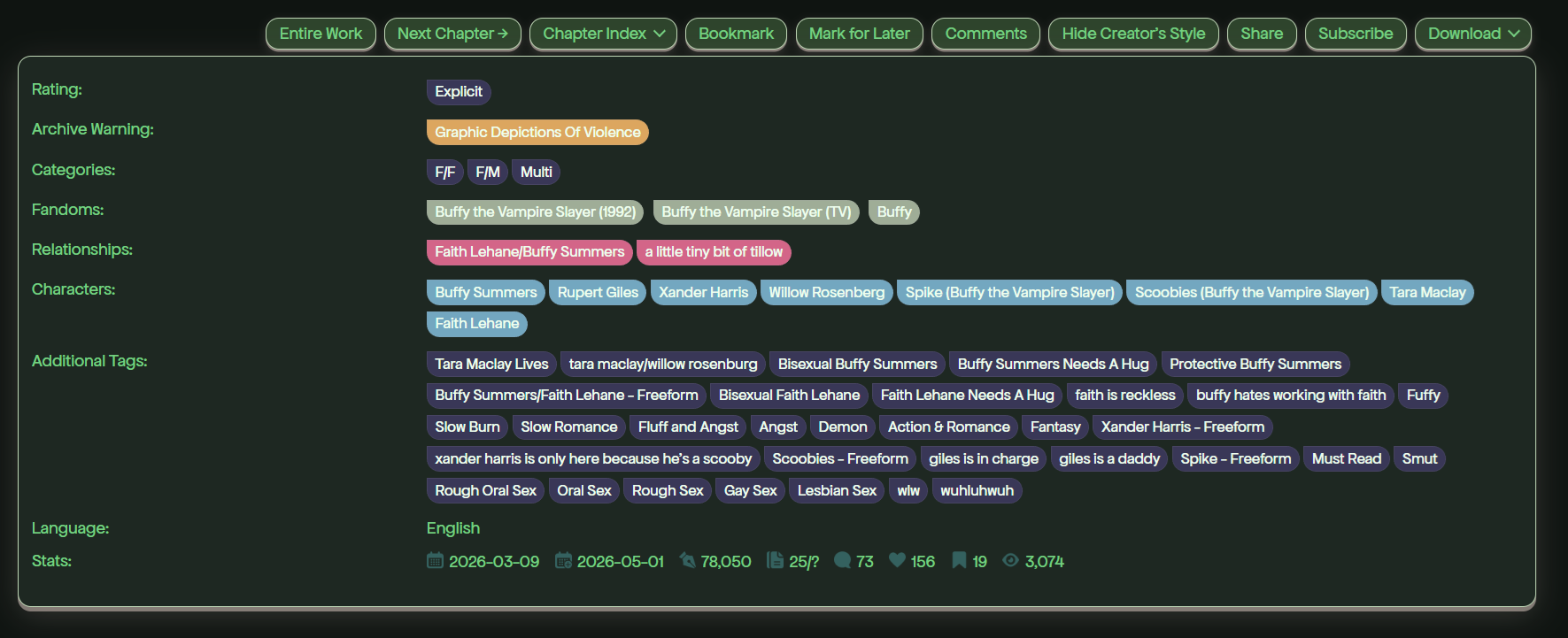
Olive Pine Moon, desktop browser view
text brighter for general distro with txt-header: #75D081
zoom
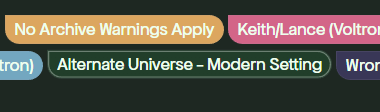
Olive Pine Moon: tag change on hover
zoom
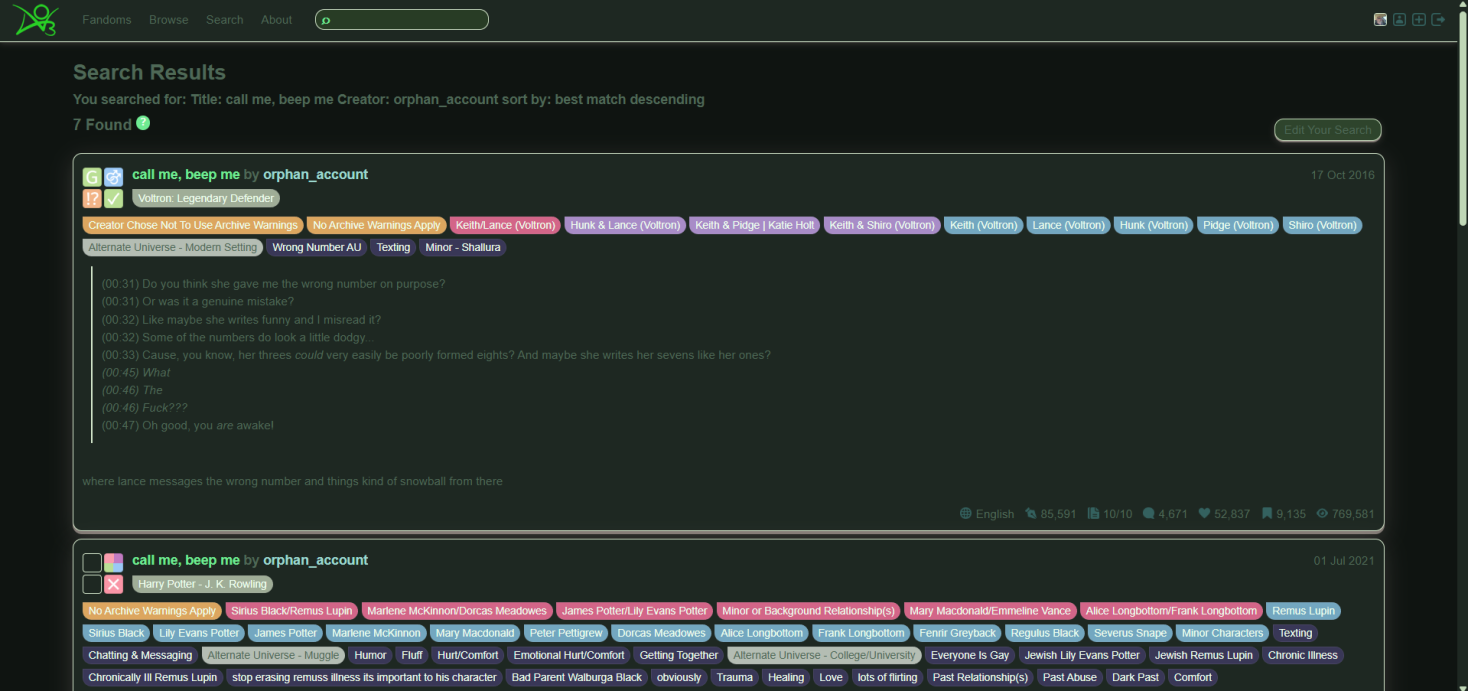
Olive Pine Moon, desktop browser view
original request's font color of txt-header: #4E6856
zoom
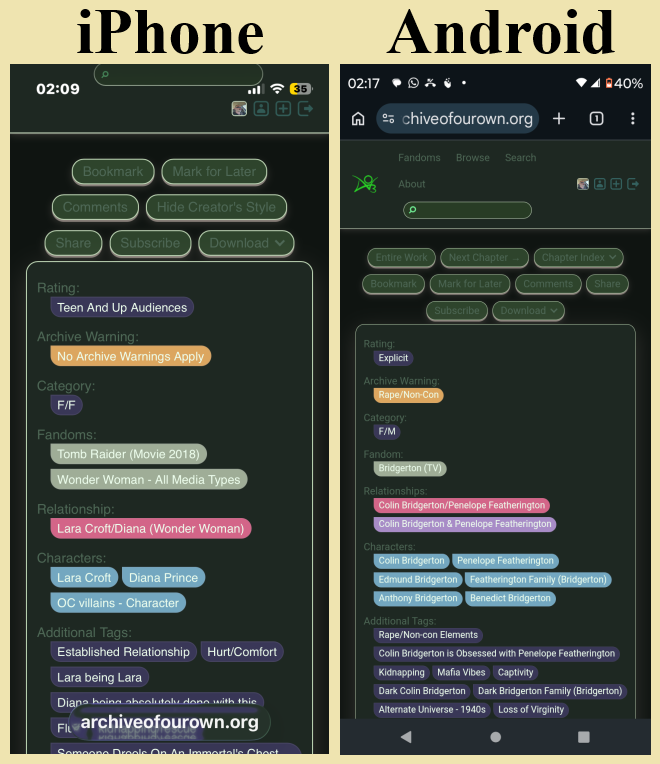
Olive Pine Moon, iPhone on left and Android on right
original request's font color of txt-header: #4E6856
zoom
Installation Contents ↑
To use the Olive Pine Moon theme, you will need at least one parent skin above it in the chain. Essentially, that parent skin lays the foundation and this one acts to modify it.
In order to install this theme, follow ravenothere's instructions.
When you get to STEP TWO, use this Olive Pine Moon theme.
The Olive Pine Moon theme (much like ravenothere's own themes) is like clip-on sunglass lenses to paint AO3 in a certain manner, where ravenothere's base skin is the underlying architecture to support it, like the frame of one's glasses to which the sunglass lenses get clipped. This permits someone to easily change certain aspects and create a new theme, without having to dig through the framework that holds the theme material in place — like being able to build specialty lenses without risking mangling the glasses' frames.
Olive Pine Moon has REM notes in it that will remain in place after installation. This is because they are phrased as classes to inject content: "...", but they won't inject anything into any page because don't target any class that anyone is liable to ever use, their classes being of the form .NOTE_re_.... If you dig through the CSS to learn from it, study it, and/or change anything, leave the notes as-is (but feel free to add your own notes of some similar sort — for example: .SUPPLEMENTAL_NOTE_re_...): they are there to guide you (and remind me) w.r.t. a given rule, rule stack, or subset of rules.
For my own testing purpose, using only ravenothere's Normal Layout CTH_base.css as the parent, and my Olive Pine Moon as the second parent, then making the skin that sews the two together as its parents (in that sequence) with a simple irrelevant placeholder rule in it so that it wouldn't be empty (which would be rejected by AO3's CSS programs), I found that [for my testing purposes] it worked on desktop tower computer Chrome, Firefox, MS Edge, Opera, and TOR, as well as on iPhone Safari and Android Chrome.
(Notice that I skipped some steps in my installation chain, though? That might be OK for basic spot-checks if you don't intend to take advantage of all of the perqs that each step provides, but if you intend to use something on the daily [as one might, when applying a site skin for one's AO3 experience], then I strongly suggest that you follow ravenothere's proper installation instructions to the letter.)
The final step of making the actual skin that you'll use (chained to its various parent skins) just needs some rule in it in order to be permitted to exist as a skin. Typically, the go-to is something to the effect of .rose-pine { opacity: 1; } or .neos-skin { opacity: 1; }; I opted for .Olive-Pine-Moon_theme { content: " /// * [And some notes-to-self here, so that I could ensure proper documentation over time.] * /// "; }; the key isn't what you enter as a placeholder rule, so much as that it be something that doesn't affect anything (just word to the wise: don't use any apostrophes; I'm not certain of site skins, but in work skins they're perfectly OK... until suddenly they aren't, and they don't say shit about not being O, you just suddenly realize that things are quietly broken, and good luck troubleshooting why).
The underlying skeleton Contents ↑
So, quick rundown:
The base skin, ravenothere's Rosé Pine, uses variables (that's MDN's link; W3's is here) here instead of properties, as does BlackBatCat's, and ZerafinaCSS's (for those seeking to write site skins, you might want to check out AO3's skins help text). Variables act a little like a parent skin from within the site skin itself — that is: just as CSS controls easily anything classed in HTML, variables act like a parent declaration that all child declarations look to for their values; change a variable, and all declarations that look to that one will take that value, whereas if you change any child declarations to look from one parent to another instead, then they'll take their cue from that new parent instead.
The lens and framework simile that I used in the installation section? The whole likening of a CSS theme to clip-on lenses, w.r.t. the base skin's architecture equating to one's glasses' framework? That's all due to the variables. I suppose that it needn't be: one could arbitrarily separate certain aspects by category, leaving borders in one skin and backgrounds in another, and fonts (and their colors) in a third, then chain those all together, but why, when more easily they could live in the same skin with each category being grouped cleanly together (and separated easily by REM notes, in order to make clear which section controls what)? Strictly, the same could be said when using variables, I suppose, but if nothing else, the separation means a single sweeping update to one parent skin effectively updates all of its cascading child skins automatically (which is why in this case I think of variables as being CSS for CSS: a parent sheet will cascade its architecture to its child sheets, while the child sheets modify things thematically as needed), rather than having to go to the relevant section of every single all-in-one skin and updating each one's architectural section manually.
As of 19 Aug 2025, AO3 added variables to the whitelist for site skins (cf. release 0.9.425, per Admin Post 32806). I'm a bit old school and I like my properties, but variables are powerful (though what I wouldn't give for var() and clamp() — and grid-row() and grid-template-area() while I'm wishing [I tell you: I watch Kevin Powell's CSS vids and mentally drool in envy]...). They're also not allowed in work skins (so far), just site skins (which I hadn't really dabbled with 'til maybe Feb of this year, helping people here and there on Reddit), and I only use CSS on AO3, and prior to 2020 I hadn't mucked with it since c2000-2005 (self-taught late '90s), so Olive Pine Moon is just a mini-theme. Maybe down the road I'll work up a full-blown variables-based theme that doesn't rely upon another's skeleton, but for now I still need to bone up on them.
Right now, I have a simple skin in-work, pulling a few RNG tricks and such, and revealing otherwise hidden magical code that lurks behind the veil.
After that, I think that I'll get back to the Yellow Submarine thing. Someone had posted some concept art on Reddit, and I had run with it to make the beginnings of a skin. I don't want to take the ball and run with it, but sans further feedback, I think that that'll be my project-after-next: to complete it based upon the initial image. We'll see how it goes, either way.
Further material Contents ↑
Wanna take things to the next level? Try these:
-
Userscript to return tailored kudos thanks' and styled comments' visibility client-side — Prior to 15 Dec 2025, some of us got into styling the feedback section's kudos messages and buttons and edit fields and comments, but that got nuked (probably with good reason); I wrote this script in order to automatically put that section of the page back within the reach of authors' work skins, restructuring the page at my end (and now yours, too !), so that I could see any cool shit with which people replace the kudos messages, along with any other shenanigans in that section (you can even see a simple but fun example of it right now at the bottom of this very page — or at least you could, if you had this script installed [or were to move things to the right spot in DevTools, of course]).
-
0_0_MLM's Anti-Disaster Site Skin (Accessibility) — This baby removes the buttons for {orphaning works, clearing history, deleting bookmarks / chapters / works / skins / account, and deleting messages / random Marked for Later works on the AO3 landing page}, making it really hard to goof (though adding a step of having to turn off the skin temporarily, if you actually do want to perform any of these actions).
-
w4tchdoge's AO3 Bookmark Maker — It grabs the fic's info (title, author, 'ships, summary, and approximate date last read) [some of it you need to adjust in settings, and you can find more about which does which in the script page's Feedback section] and drops it into the top of your bookmark as a <details> that's collapsed until you click (like the thing that you might've clicked earlier on this same page, to preview screenshots of Olive Pine Moon ).
-
amphibianauthor's Ao3 Coding References, by our very own HTML Tryhard librarian — This documents rather thoroughly a large list of different works out there, covering basics, generators, tutorials, decorating, C.Y.O.A., newspapers/blogs, texting work skins, SocMed platform work skins, interactive games (on AO3), and a shit-ton more.
-
As well, Redditor u/Kaigani-Scout has an astounding amount of research freely offered to everyone in their Google drive.
About Contents ↑
This is a modified version of Rosé Pine Moon — Closer to Home by ravenothere (DoveEater), which is in turn a fork of Rosé Pine Site Skin by BlackBatCat, in turn again inspired by neos [Site Skin] by ZerafinaCSS (Zerafina) — all credit for the developmental ladder goes to them.
The Olive Pine Moon theme is based upon the request of Redditor u/fangedfaunn, without which this theme would not exist.