
Chapter Text
Background Changes
We don’t need multiple sets of stars anymore, since we can move the entire element up and down. However, since we’re moving the entire element, we need to make sure that the background extends beyond the constraints of the fic, otherwise after it moves we’ll have giant empty gaps left behind. Basically, something like this (where the blue is your fic space and the pink is your background):
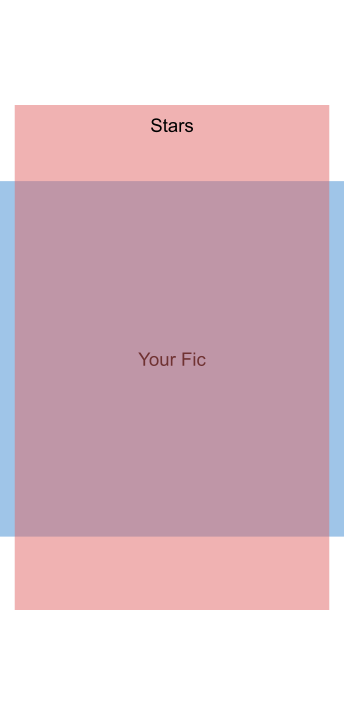
(Note: Since the stars do extend beyond the borders, this really only works for a oneshot or if you read a fic chapter by chapter. Otherwise, the stars will clip into the other chapters. I suppose if you want to have the star pattern throughout the entire work it might not matter, but I figured it was worth mentioning.)
Movement Changes
Next, we need to change the movement of the stars. Since we’re now moving the stars up and down, we change the transform properties in .overlapBackground from rotate to translateY. There’s two:
#workskin .overlapBackground {
position: absolute;
opacity: 50%;
overflow: auto;
-webkit-user-select: none;
-ms-user-select: none;
-o-user-select: none;
-moz-user-select: none;
user-select: none;
transform: translateY(0px); /*this one here, this one starts at 0px */
transition: transform 900s linear;
}
And this one:
#workskin:is(body.javascript *) .overlapBackground {
transform: translateY(-15000px); /*this can be set to any arbitrarily high number, just MAKE SURE IT IS NEGATIVE—we’ll get to why later*/
}
The transition timing works the same as the original—set the amount of time you want it to take to move the stars. The longer the time, the slower they move, and the shorter the time, the faster they move.
Falling Stars
Now if you looked at the earlier section, you’ll notice I emphasized making the second value negative. This, in fact, moves the stars upward. The reason why we can’t directly move them downward is because the highest we can place the background is at the top. So as the background moves, it’ll leave behind empty space:
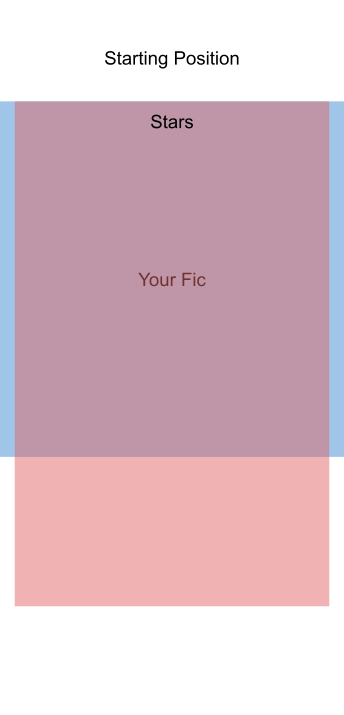
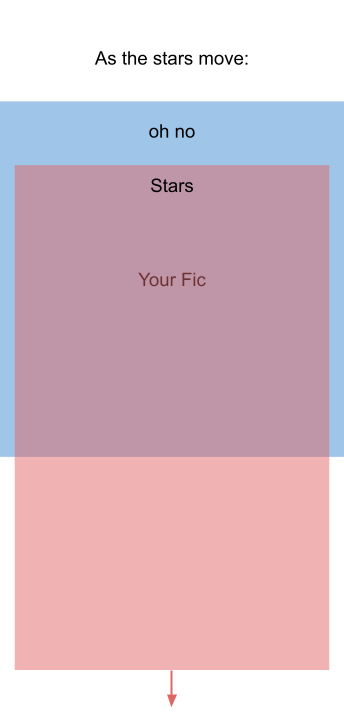
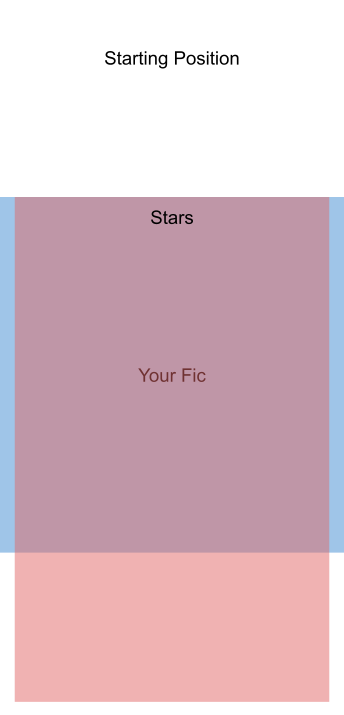
But we can move the stars upward just fine, because the background extends further below the boundaries of the fic:
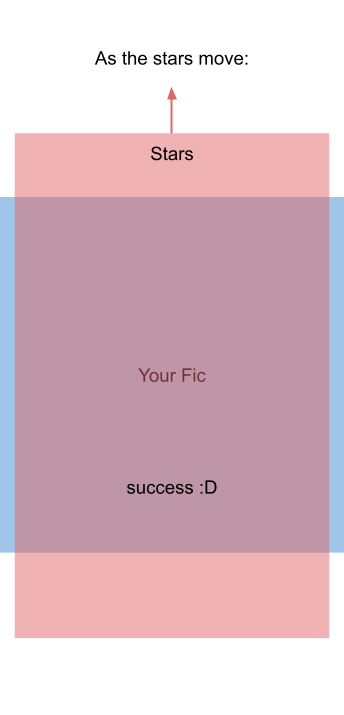
Wait but I was promised falling stars not rising stars >:(
(If you do want upward moving stars, you can skip this part.)
The actual key step: we need to add a new class:
#workskin .flip {
transform: rotate(180deg);
}
So now up is down, and the stars move downward!
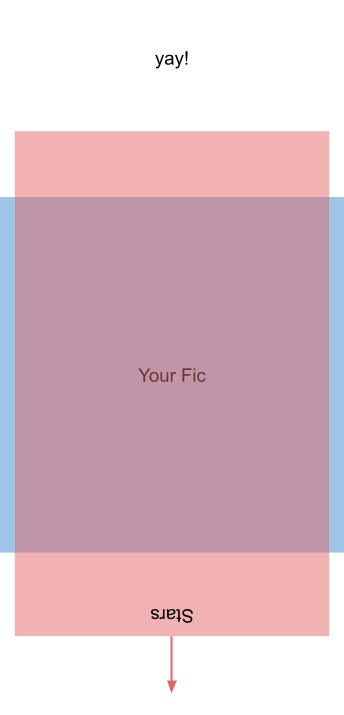
(Do note that this does flip every symbol you put in here upside down. Since stars don’t really have a right side up, it doesn’t matter here, but if you put text in, it’s all going to be flipped. I think you could do something pretty cool with arrows moving up/down or something, but I’m just using stars as an example.)
(Is there a better way to do it? Maybe. But this is the solution my brain came up with. If someone has other ideas though, feel free to comment below!)
HTML
This is almost the same as the original, the only difference is now we nest the entire thing in a .flip div: <div class="flip"><div class="border"><div class="overlap"><div class="overlapBackground"> <span class="yellow stars"></span></div></div></div></div>. Put this at the very bottom of your fic (again, up is down), and you’re good to go!
Full Code
#workskin .flip {
transform: rotate(180deg);
}
#workskin p {
position: relative;
}
#workskin .box {
background: #EBC2000F;
border: solid #C28500;
padding-left: 10px;
padding-right: 10px;
border-radius: 10px;
}
#workskin .overlap {
position: relative;
overflow-x: clip;
}
#workskin .overlapBackground {
position: absolute;
opacity: 50%;
overflow: auto;
-webkit-user-select: none;
-ms-user-select: none;
-o-user-select: none;
-moz-user-select: none;
user-select: none;
transform: translateY(0px);
transition: transform 900s linear;
}
#workskin .border {
border: 0px;
width: 99%;
height: 100%;
display: inline;
}
#workskin .starsY:after {
content: "[Put your background here. You’ll need to put a LOT of stars. I combined stars1 to stars6 from the original and then tripled it in size.]";
z-index: -5 !important;
}
#workskin .yellow {
color: #C28500;
}
#workskin:is(body.javascript *) .overlapBackground {
transform: translateY(-15000px);
}